Google Business Profile Suspended? Here's How to Recover Your Listing (Step-by-Step Guide)
Share this article
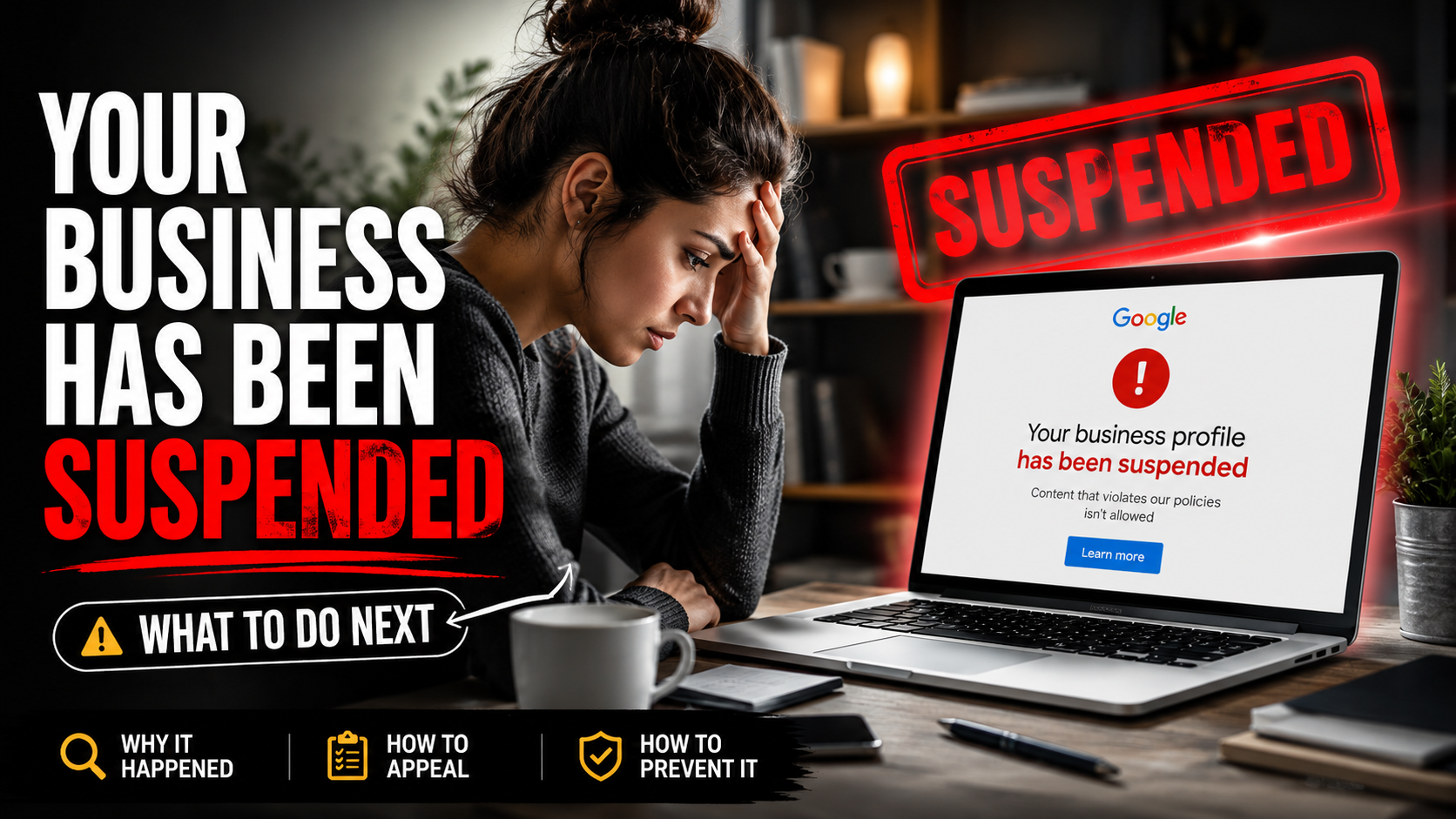
There are few things more stressful for a local business than logging into your Google Business Profile and discovering that it has been suspended.
For many businesses, a Google Business Profile is one of the primary ways customers find them online. A suspension can cause your business to disappear from Google Search and Google Maps, resulting in fewer phone calls, website visits, and leads while your appeal is under review. Google explains that profiles may be suspended if they don't comply with its Business Profile guidelines, but the specific reason isn't always obvious.
Unfortunately, we know exactly what this feels like.
Recently, The Business Theory experienced a Google Business Profile suspension despite operating as a legitimate, registered business. Like many business owners, we received a policy violation notice but weren't given clear guidance about exactly what triggered the suspension. After carefully reviewing our profile, correcting any potential issues, and working through the reinstatement process with professional assistance, we were able to have our profile restored in less than a week.
In this guide, we'll explain some of the most common reasons Google Business Profiles are suspended, walk you through the appeal process, share what we learned during our own experience, and introduce a company that helped us successfully recover our listing.
What Is a Google Business Profile Suspension?
A Google Business Profile suspension means that Google has disabled your business listing because it believes the profile may not comply with its Business Profile policies. When this happens, your business may no longer appear in Google Search or Google Maps, making it much harder for potential customers to find you.
In many cases, business owners don't receive a detailed explanation about what specifically triggered the suspension. Instead, they are typically directed to review Google's Business Profile guidelines and submit an appeal if they believe their listing complies with Google's policies.
For businesses that rely heavily on local search, a suspension can have a significant impact. Phone calls, direction requests, website visits, and new customer inquiries may decline while the profile remains suspended.
The good news is that a suspension doesn't necessarily mean your business has done anything intentionally wrong. Sometimes, legitimate businesses are suspended because Google's automated systems identify changes or information that require additional verification. If your business complies with Google's guidelines and you can provide supporting documentation, you may be able to successfully appeal the suspension and have your profile reinstated.
Types of Google Business Profile Suspensions
Not every Google Business Profile suspension is the same. Depending on the issue Google identifies, your business listing may experience different levels of restriction. Understanding which type of suspension you've received can help you determine your next steps and what information you'll need during the appeal process.
The two most common types of suspensions are soft suspensions and hard suspensions. While both indicate that Google has found a potential policy issue, the impact on your listing is very different.
| Suspension Type | What It Means | Impact on Your Business |
|---|---|---|
| Soft Suspension | Your Business Profile remains visible on Google Search and Google Maps, but you've lost the ability to manage or update it until the issue is resolved. | Customers can still find your business, but you cannot make edits, respond to reviews, or update information. |
| Hard Suspension | Your Business Profile has been removed from Google Search and Google Maps because Google believes it doesn't comply with its Business Profile policies. | Your business listing is no longer visible to potential customers, which can significantly reduce calls, website visits, direction requests, and new leads until the profile is reinstated. |
While a hard suspension can feel overwhelming, it doesn't necessarily mean your business has done anything intentionally wrong. Google uses automated systems to help identify listings that may require additional review, and legitimate businesses can sometimes be suspended if information on the profile raises questions or doesn't align with Google's policies.
The most important thing is to carefully review your Business Profile, gather any supporting documentation that verifies your business, and submit a thorough appeal if you believe your listing complies with Google's guidelines.
Before making any changes or submitting an appeal, it's worth taking time to review Google's official Business Profile policies so you understand exactly what is and isn't permitted.
Common Reasons Google Business Profiles Get Suspended
Google may suspend a Business Profile if it believes the listing doesn't comply with its Business Profile policies. While some suspensions are the result of clear policy violations, others occur because Google's automated systems identify information that requires additional verification.
In many cases, legitimate businesses are suspended over issues that can be corrected, such as inconsistent business information or recent profile changes. Understanding the most common causes can help you identify potential problems before submitting an appeal.
| Common Reason | Why It Can Trigger a Suspension |
|---|---|
| Keyword Stuffing Your Business Name | Adding extra keywords, locations, or services to your business name instead of using your legal or real-world business name violates Google's guidelines. |
| Using an Ineligible Business Address | Virtual offices, P.O. boxes, UPS stores, or locations where your business isn't actually staffed during business hours may not qualify for a Business Profile. |
| Inconsistent Business Information | Differences between your website, business registration, directories, or Google Business Profile can trigger additional verification. |
| Frequent Profile Changes | Making multiple edits in a short period, such as changing your business name, category, address, or phone number, may cause Google's automated systems to review your listing. |
| Duplicate Business Profiles | Creating multiple listings for the same business or location can result in one or more profiles being suspended. |
| Incorrect Business Categories | Choosing categories that don't accurately represent your business may violate Google's guidelines. |
| Service Area Issues | Service-area businesses must follow Google's rules for displaying addresses and defining their service areas. |
| Suspicious Review Activity | Buying reviews, offering incentives, or experiencing unusual review patterns may trigger Google's spam detection systems. |
| Website or Policy Violations | Websites that contain misleading information, prohibited content, or inconsistencies with the Business Profile may raise compliance concerns. |
| Other Policy Violations | Google may suspend profiles for other reasons if they don't comply with its Business Profile policies or prohibited content guidelines. |
While a suspension can be frustrating, understanding these common triggers is the first step toward resolving the issue. In many cases, legitimate businesses are able to recover their listings after identifying the cause, making the necessary corrections, and providing documentation that verifies their business.
Next, we'll take a closer look at each of these common reasons, explain why they can lead to a suspension, and share practical steps you can take to reduce the risk of your Google Business Profile being suspended in the future.
How to Avoid a Google Business Profile Suspension
While no one can guarantee that a Google Business Profile will never be suspended, following Google's guidelines and keeping your business information accurate can significantly reduce your risk. Many suspensions occur because information doesn't align with Google's policies or because automated systems flag changes that require additional verification.
By taking a proactive approach, you can help keep your Business Profile compliant and make the reinstatement process much easier if your listing is ever reviewed.
Use Your Real Business Name
Your Google Business Profile should always reflect your real-world business name exactly as customers know it.
Avoid adding extra keywords, city names, services, or marketing phrases simply to improve your rankings. While this was once considered an SEO tactic by some businesses, Google's guidelines require that your business name accurately represent your official branding.
If your business name appears differently on your website, signage, business registration, or other official documents, consider updating those inconsistencies before making changes to your Google Business Profile.
Keep Your Business Information Consistent
Your business information should remain consistent across your entire online presence.
This includes your business name, address, phone number, website, business hours, and other contact information. Google compares information from multiple sources, and conflicting details may trigger additional verification or raise questions about the accuracy of your listing.
Regularly reviewing your website, social media profiles, and online directories helps ensure customers—and Google—see the same information everywhere.
Follow Google's Address Guidelines
Google has specific rules regarding business addresses, especially for service-area and home-based businesses.
If customers don't visit your location, you may need to hide your physical address and instead define the areas you serve. Likewise, using virtual offices, mailbox services, or addresses where your business isn't actually staffed during business hours may not meet Google's eligibility requirements.
Before creating or updating your profile, make sure your business address complies with Google's guidelines for your business type.
Avoid Making Multiple Major Changes at Once
One of the biggest lessons we learned during our own suspension was to be cautious when making significant profile updates.
Changing your business name, primary category, address, phone number, website, and other important information all at once can cause Google's automated systems to take a closer look at your profile. While these changes may be completely legitimate, making several major edits within a short period can sometimes trigger additional verification.
Whenever possible, make changes only when necessary, verify that each update is accurate, and avoid editing multiple critical fields at the same time.
Keep Your Website and Business Information Accurate
Your website should support the information displayed on your Google Business Profile.
Business names, phone numbers, addresses, services, and contact information should match across both platforms. If Google finds conflicting information, it may have difficulty verifying your business or determining whether your listing accurately represents your company.
Keeping your website updated not only creates a better experience for customers but also helps reinforce the credibility of your Business Profile.
Follow Google's Policies for Reviews
Customer reviews play an important role in building trust, but they should always be earned naturally.
Avoid purchasing reviews, offering incentives for positive feedback, or encouraging review practices that violate Google's policies. Sudden spikes in reviews or unusual review activity can attract additional scrutiny from Google's automated systems.
Instead, focus on providing outstanding customer service and encouraging satisfied customers to leave honest reviews based on their genuine experience.
Following these best practices can help reduce the likelihood of your Google Business Profile being suspended, but even businesses that carefully follow Google's guidelines can sometimes find themselves facing an unexpected suspension.
If that happens, don't panic. The next step is understanding Google's appeal process, gathering the appropriate documentation, and submitting a complete reinstatement request. In the next section, we'll walk you through exactly how to appeal a suspended Google Business Profile and share tips that may improve your chances of a successful recovery.
How to Appeal a Suspended Google Business Profile
If your Google Business Profile has been suspended, it's important to take a methodical approach before submitting an appeal. While it may be tempting to immediately resubmit your profile or make additional edits, taking the time to review your listing and gather supporting documentation can improve your chances of a successful reinstatement.
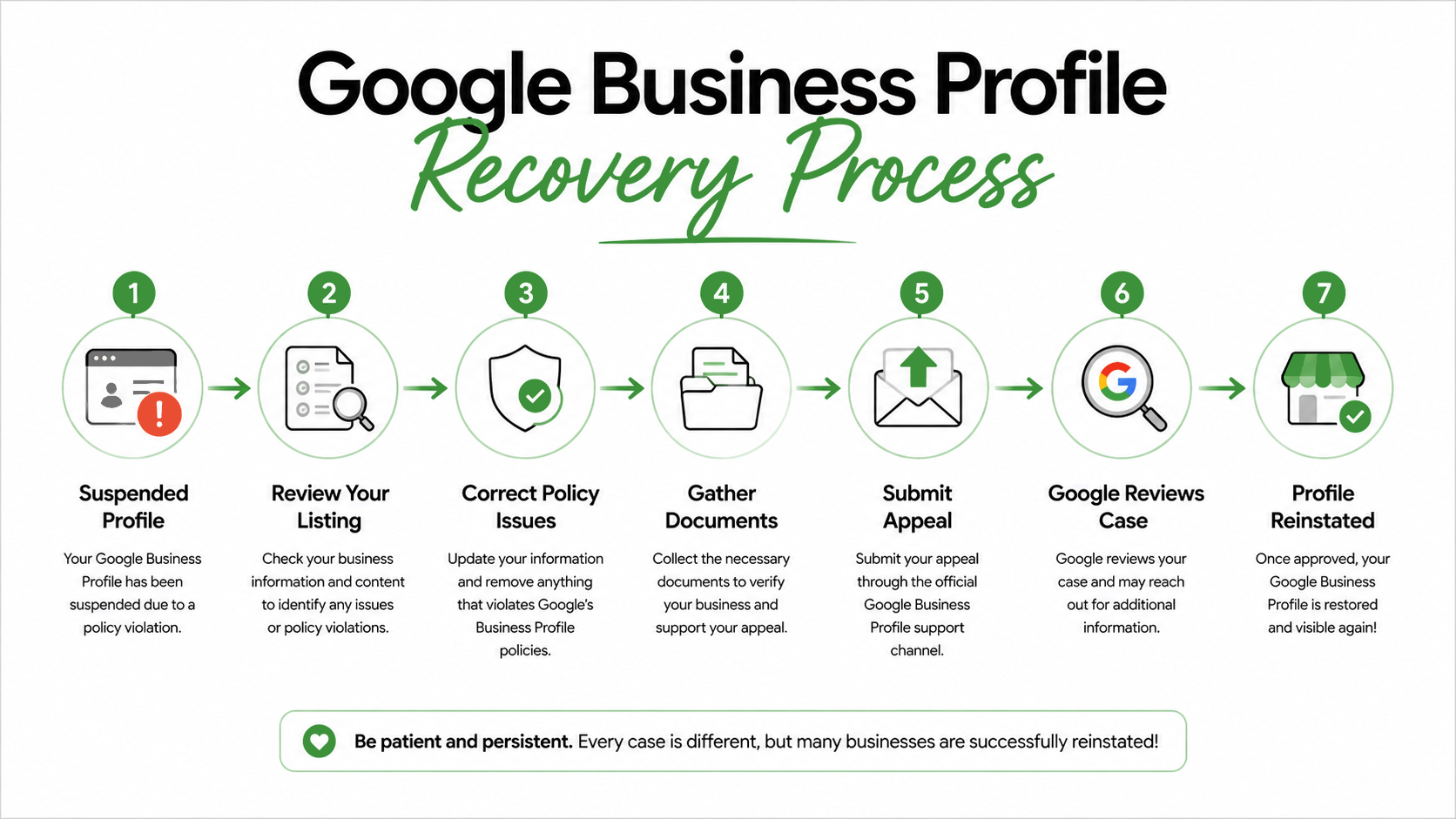
Google's appeal process is designed to verify that your business is legitimate and complies with its Business Profile policies. The more complete and organized your appeal is, the easier it is for Google's review team to evaluate your case.
| Step | What You Should Do |
|---|---|
| 1. Read the Suspension Email | Carefully review Google's notification to understand that your Business Profile has been suspended and follow any instructions provided. |
| 2. Review Your Business Profile | Check your business name, address, phone number, categories, website, business hours, and other information for anything that may not comply with Google's guidelines. |
| 3. Correct Any Issues | Candice |
| 4. Gather Supporting Documents | Collect documents that verify your business, such as your business registration, state license, insurance certificate, utility bill (if applicable), storefront photos, vehicle branding, or other official documentation. |
| 5. Submit Your Appeal | Complete Google's reinstatement request and upload all relevant supporting documentation. The more organized your submission, the easier it is for Google to verify your business. |
| 6. Wait for Google's Response | Review times vary depending on the complexity of your case. Avoid submitting multiple appeals unless Google specifically instructs you to do so. |
Submitting an appeal is only part of the process. Google's reviewers need enough evidence to verify that your business exists, operates as described, and complies with its policies. Missing documentation or incomplete information can delay the review or result in a denied appeal.
If your appeal is denied, don't assume your case is over. Many legitimate businesses require additional documentation or professional assistance before their profiles are successfully reinstated. In our case, we experienced exactly that—and in the next section, we'll share what happened, what we learned, and the steps that ultimately helped us recover our Google Business Profile.
Our Experience Recovering Our Google Business Profile
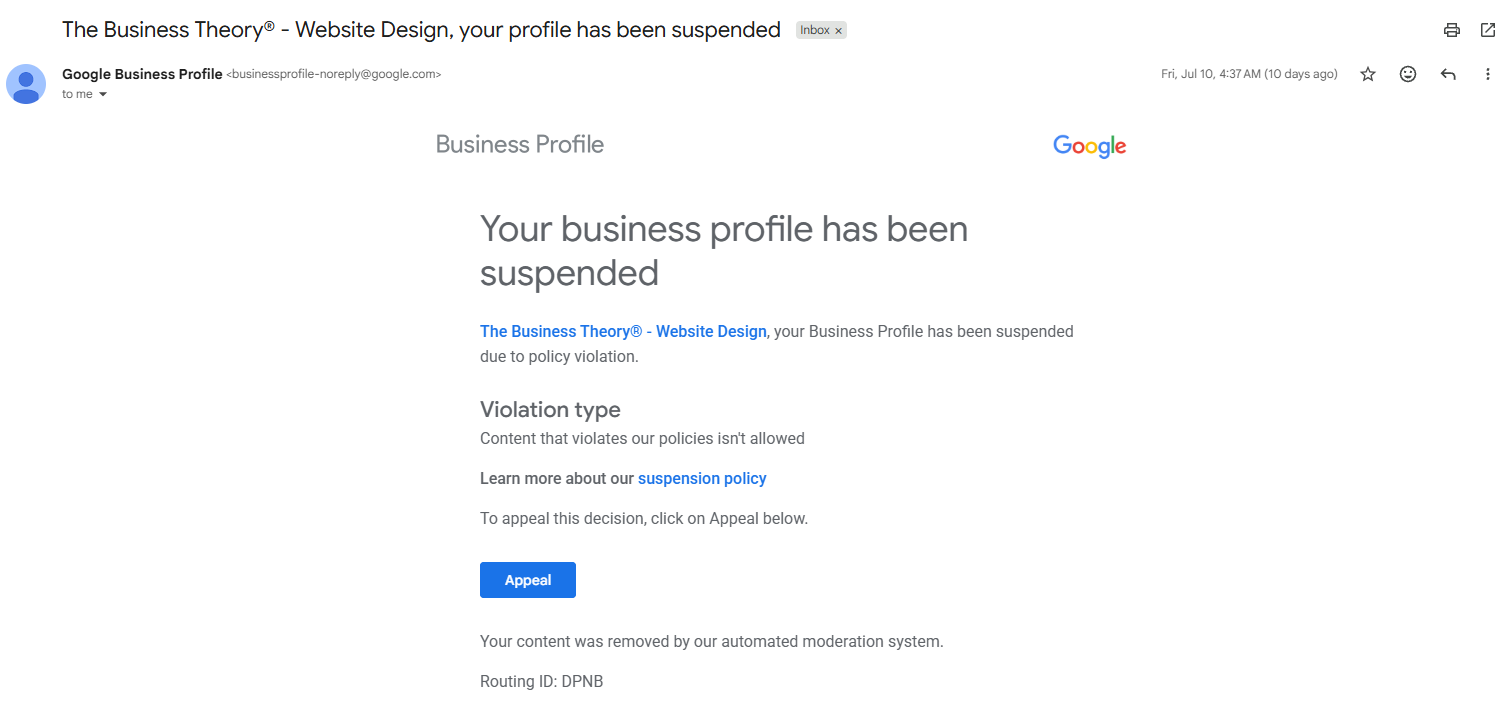
When our Google Business Profile was suspended, we were just as confused and frustrated as many business owners are.
At the time, we had been actively maintaining our profile by publishing Google Business updates, sharing completed website projects, and regularly engaging with our listing. We believed we were following best practices to keep our profile active and informative.
Then, without warning, our Business Profile was suspended.
After carefully reviewing our listing, the only issue we immediately identified was our business name. Because our company has a federally registered trademark, our profile included the ® symbol. To eliminate any possible concerns, we removed the registration symbol and submitted our appeal along with documentation verifying our business.
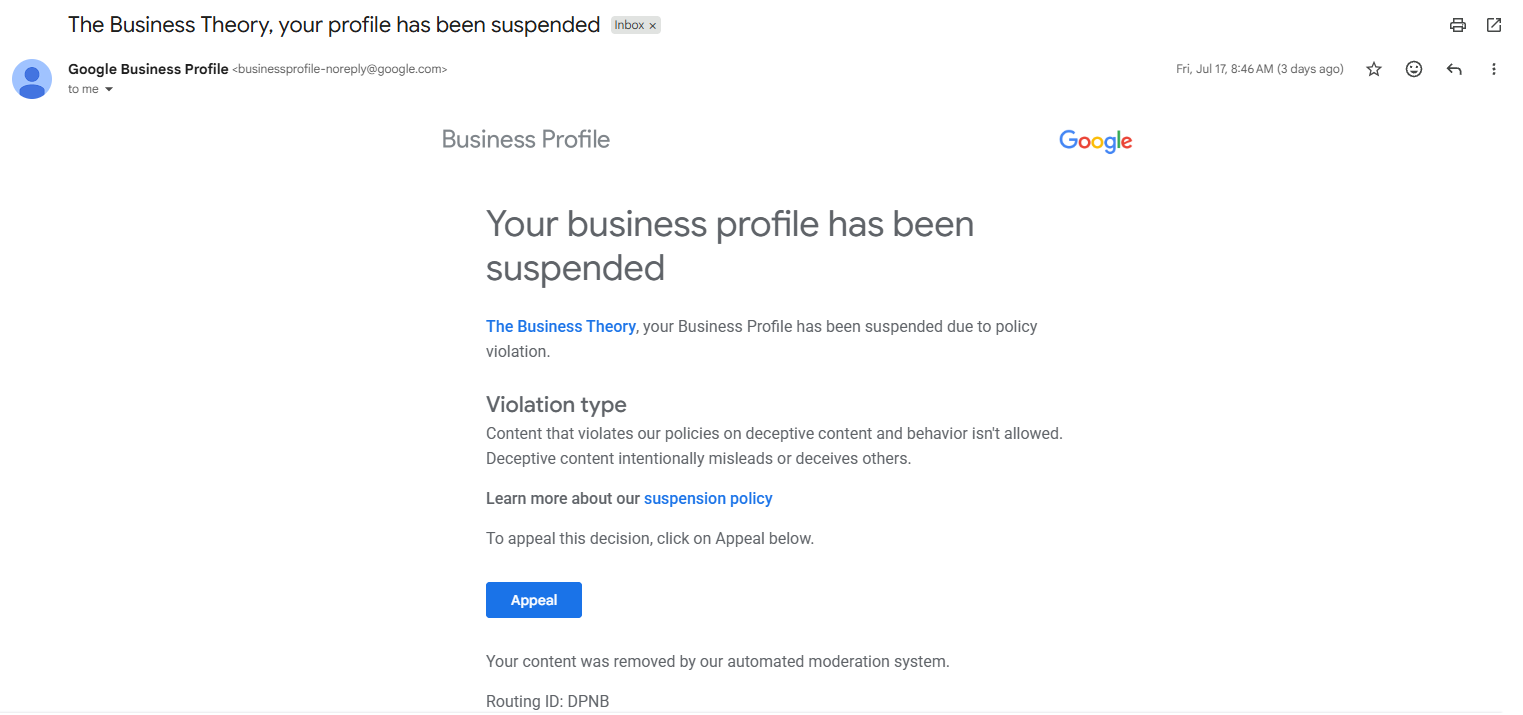
Initially, Google verified our appeal submission, which gave us hope that the issue had been resolved. Unfortunately, shortly afterward we received another notification stating that our appeal had been denied because of deceptive content.
That was confusing because every review on our profile came from real customers, our business registration was legitimate, and our website accurately represented the services we provide.
After taking a much closer look at our profile, we discovered that several of our Google Business posts featured recent website projects we had completed for clients, including businesses in the medical field. While we can't say with certainty that these posts were the reason for the suspension, they appeared to be the only remaining content that could have conflicted with Google's Business Profile policies. To avoid any potential issues, we removed the posts before moving forward with the next stage of the recovery process.
At that point, we realized we needed professional assistance. Rather than continuing to submit appeals on our own, we worked with a company that specializes in Google Business Profile recoveries. They reviewed our profile, identified additional areas that needed attention, and helped us communicate directly with Google's support process.
From the day our profile was suspended until it was successfully reinstated, the entire process took approximately 10 days.
Looking back, the experience reminded us how important it is to carefully review every aspect of your Business Profile and to seek experienced guidance when an appeal doesn't go as planned. Even legitimate businesses can experience unexpected suspensions, but with patience, the right documentation, and a structured approach, it's often possible to recover your listing.
The Company That Helped Us Recover Our Google Business Profile
After our appeal was denied, we realized we needed help from professionals who work with Google Business Profile suspensions every day.
That's when we found Mapify Biz.
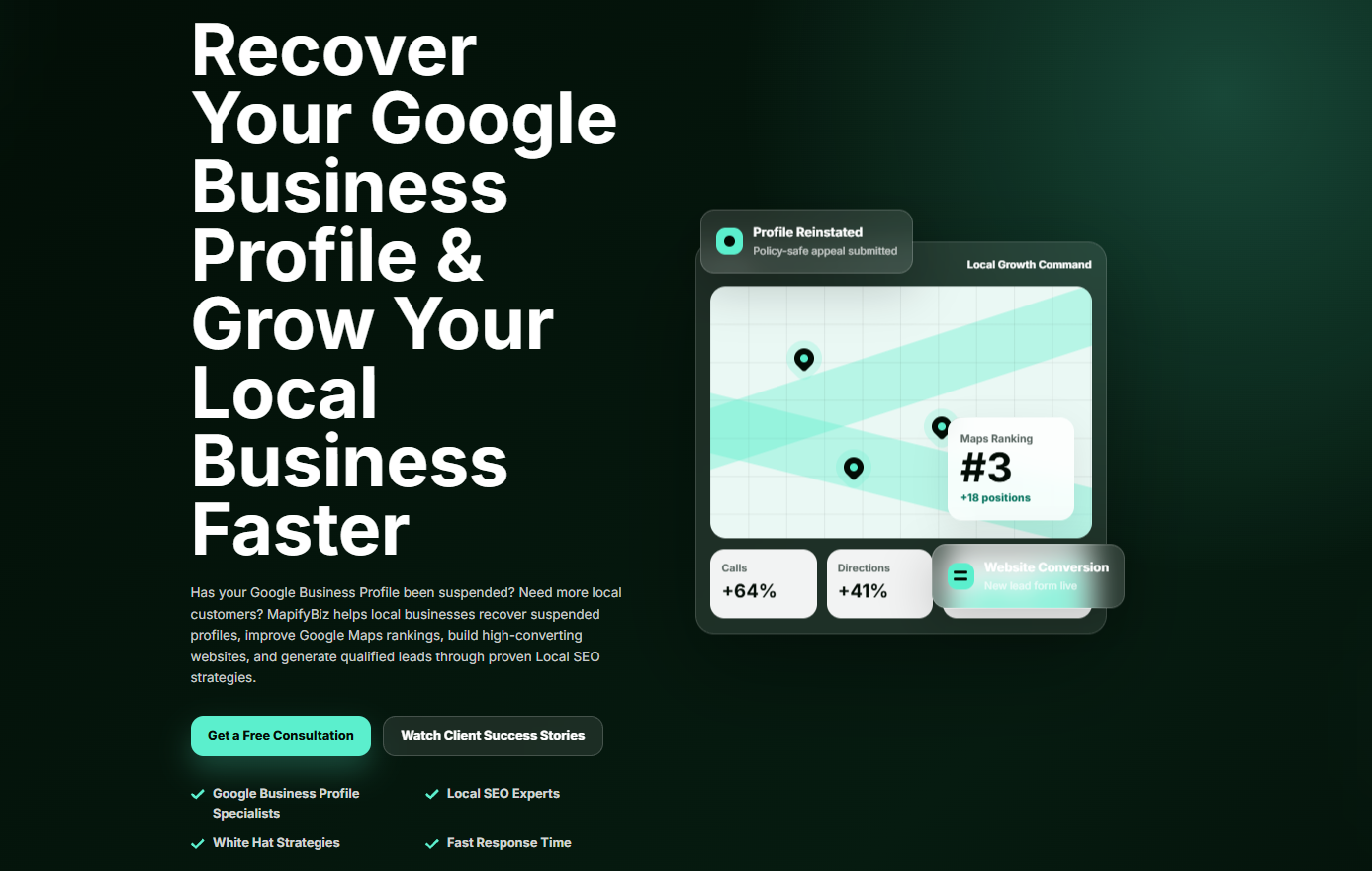
From our very first conversation, their team took the time to understand our situation, review our Business Profile, and explain what the next steps should be. Rather than making guarantees, they gave us honest feedback about our case and outlined a strategy to move forward. One thing we appreciated was that they offer a free consultation. Before committing to anything, they reviewed our situation and answered our questions, which gave us confidence that we were moving in the right direction.
Depending on your situation, they may be able to:
| Service | How It Can Help |
|---|---|
| Free Consultation | Review your suspension and discuss possible next steps before you decide how to proceed. |
| Profile Review | Evaluate your Google Business Profile for potential compliance issues that could affect your appeal. |
| Appeal Assistance | Help prepare and organize the documentation needed to strengthen your reinstatement request. |
| Google Support Guidance | In some cases, they may be able to help facilitate communication with Google's support process, depending on your specific situation. |
After working with their team and following their recommendations, our Google Business Profile was successfully reinstated.
While every suspension is different and no company can guarantee that Google will approve an appeal, having experienced professionals review your case can help you identify issues you may have overlooked and avoid unnecessary delays.
If your Google Business Profile has been suspended and you're not sure what to do next, we highly recommend scheduling a free consultation with Mapify Biz. They were professional, responsive, and played an important role in helping us recover our listing.
Disclosure: We are not affiliated with Mapify Biz and did not receive compensation for this recommendation. We're simply sharing the company that helped us recover our own Google Business Profile after a successful reinstatement.
Frequently Asked Questions About Google Business Profile Suspensions
If your Google Business Profile has been suspended, you probably have questions about what happens next. Below are answers to some of the most common questions business owners ask during the reinstatement process.
Recovering Your Google Business Profile Is Possible
Having your Google Business Profile suspended can be frustrating, especially if your business depends on Google Search and Google Maps to generate new leads. While the process can feel overwhelming, a suspension doesn't necessarily mean your business has done something intentionally wrong—or that your profile can't be recovered.
By carefully reviewing your Business Profile, correcting any compliance issues, gathering the appropriate documentation, and following Google's appeal process, many legitimate businesses are able to successfully regain access to their listings. As our own experience showed, patience and persistence are often just as important as the appeal itself.
If you're struggling to recover your profile, don't be afraid to seek professional guidance. An experienced specialist may be able to identify issues that aren't immediately obvious and help you navigate the reinstatement process more effectively.
Once your profile has been restored, it's important to continue maintaining an accurate, compliant online presence. Regularly reviewing your Business Profile, keeping your website up to date, and following Google's guidelines can help reduce the likelihood of future issues while building trust with both Google and your customers.
At The Business Theory, we help businesses build a strong online presence that extends far beyond their Google Business Profile. Whether you need a Custom Website Design, ongoing Search Engine Optimization (SEO), Google Ads management, Meta advertising, or a complete digital marketing strategy, our team is here to help you attract more customers and grow your business with confidence.
If you're ready to strengthen your online presence, Contact The Business Theory to learn how our website design, SEO, and digital marketing services can help your business grow.
About The Business Theory
The Business Theory is an award-winning website design and digital marketing agency helping service-based businesses build stronger online presences and attract more qualified customers. We specialize in custom website design, Search Engine Optimization (SEO), directory listings, Google Ads, Meta Ads, social media posting, content marketing, and link building, with strategies tailored to each business rather than a one-size-fits-all approach. Whether you need a new website, stronger search visibility, or a more coordinated digital marketing strategy, explore our services or schedule a free consultation to learn how The Business Theory can support your business goals.